This product was not featured by Product Hunt yet. It will not be visible on their landing page and won't be ranked (cannot win product of the day regardless of upvotes).
snor-oh is a native macOS companion: a Tamagotchi-style mascot that reacts to Claude Code activity, plus a multi-bucket copy shelf with on-device OCR, translate, and Quick Paste.
Hey, 👋 I'm thnh. My desk during a coding day is chaos. Three terminals doing who-knows-what. A clipboard that forgets what I copied 4 seconds ago. Screenshots I'll definitely need later (I won't). I built snor-oh (https://snor-oh.app/) so my Mac would stop feeling like a tab graveyard. It's two little tools in one app:
🧺 Bucket — a floating shelf where everything you copy, drop, or screenshot lands.
Multiple "lanes" you flip between with ⌃⌥1–9.
Type any word to search inside your screenshots (yes, the inside).
Hit ⌘⇧V and your last few things appear, ready to paste anywhere.
It quietly figures out if you copied a hex color, some code, JSON, or markdown — and shows it nicely.
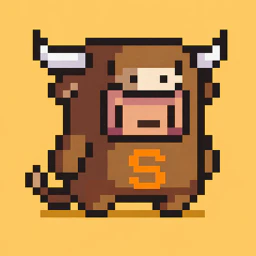
🐾 Mascot — a pixel pet that lives on your desktop and reacts to what your terminal is doing.
Watching Claude Code work? The pet bubbles tiny status updates so you don't have to babysit the terminal.
The fun part: when Claude needs your permission, the pet just asks you — tap Allow or Deny without leaving your browser tab.
Try it now and hope you guys have good experience.
Looks good! I've been bouncing between a bunch of utilities on my Mac. This might just save me
About snor-oh on Product Hunt
“snor-oh brings you utilities and more”
snor-oh was submitted on Product Hunt and earned 0 upvotes and 2 comments, placing #68 on the daily leaderboard. snor-oh is a native macOS companion: a Tamagotchi-style mascot that reacts to Claude Code activity, plus a multi-bucket copy shelf with on-device OCR, translate, and Quick Paste.
snor-oh was featured in User Experience (368k followers), Menu Bar Apps (12.3k followers) and Tech (631.8k followers) on Product Hunt. Together, these topics include over 204.8k products, making this a competitive space to launch in.
Who hunted snor-oh?
snor-oh was hunted by thnh. A “hunter” on Product Hunt is the community member who submits a product to the platform — uploading the images, the link, and tagging the makers behind it. Hunters typically write the first comment explaining why a product is worth attention, and their followers are notified the moment they post. Around 79% of featured launches on Product Hunt are self-hunted by their makers, but a well-known hunter still acts as a signal of quality to the rest of the community. See the full all-time top hunters leaderboard to discover who is shaping the Product Hunt ecosystem.
Want to see how snor-oh stacked up against nearby launches in real time? Check out the live launch dashboard for upvote speed charts, proximity comparisons, and more analytics.

 thnh
thnh
Hey, 👋 I'm thnh.
My desk during a coding day is chaos. Three terminals doing who-knows-what. A clipboard that forgets what I copied 4 seconds ago. Screenshots I'll definitely need later (I won't). I built snor-oh (https://snor-oh.app/) so my Mac would stop feeling like a tab graveyard. It's two little tools in one app:
🧺 Bucket — a floating shelf where everything you copy, drop, or screenshot lands.
Multiple "lanes" you flip between with ⌃⌥1–9.
Type any word to search inside your screenshots (yes, the inside).
Hit ⌘⇧V and your last few things appear, ready to paste anywhere.
It quietly figures out if you copied a hex color, some code, JSON, or markdown — and shows it nicely.
🐾 Mascot — a pixel pet that lives on your desktop and reacts to what your terminal is doing.
Watching Claude Code work? The pet bubbles tiny status updates so you don't have to babysit the terminal.
The fun part: when Claude needs your permission, the pet just asks you — tap Allow or Deny without leaving your browser tab.
Try it now and hope you guys have good experience.