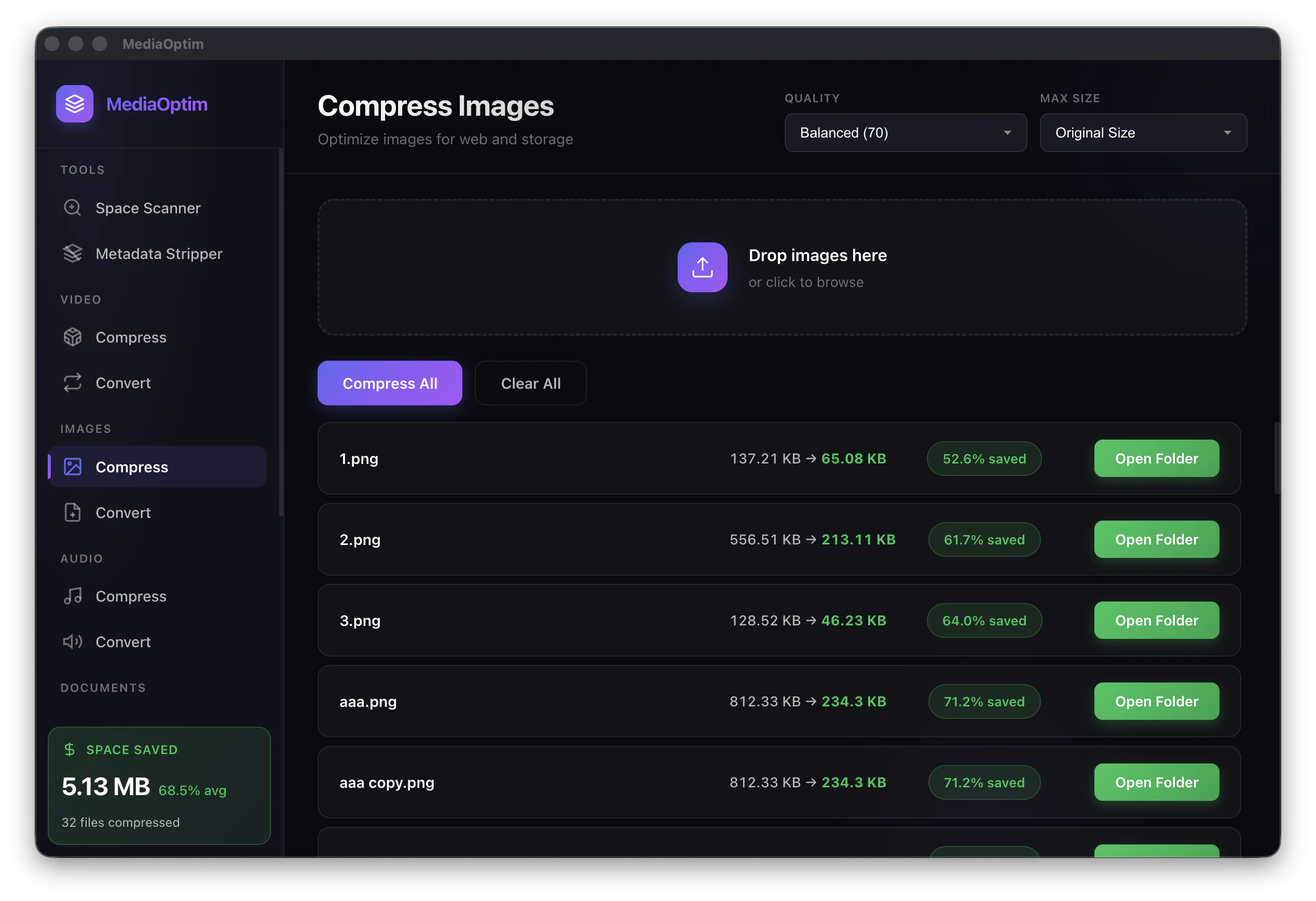
MediaOptim compresses images, videos, and audio files directly on your Mac — no uploads, no subscriptions, no privacy risk. Most compression tools send your files to a server. MediaOptim runs everything locally using native Apple frameworks, so files never leave your device. ✓ Batch compress entire folders ✓ Supports HEIC, WebP, MP4, MOV, MP3, FLAC and more ✓ Set quality targets, not just percentages ✓ Works offline, always
Hey PH! 👋
I built MediaOptim after getting frustrated with online tools that upload your files to compress them. A 4GB video file shouldn't need to leave your Mac just to get smaller.
The app uses native Apple frameworks (AVFoundation, ImageIO) so compression is fast and the files stay local.
Everything runs locally using native Apple frameworks (AVFoundation, ImageIO) — no servers, no accounts, no waiting on uploads.
You drag in a folder, set your quality target, and it batch-processes everything. That's it.
Would love to hear what formats or features you'd want next!
the local-first approach is the right call for anything handling personal media. the EXIF toggle would be a meaningful addition especially for photo libraries where capture date and location are the whole point of the file. curious whether you plan to let users choose per-format or as a global setting across a batch.
Metadata is a dealbreaker for many photo/video libraries. When MediaOptim compresses a batch, what happens to capture dates, locations, Live Photo/HEIC metadata, and video metadata—and what tradeoffs did you make versus preserving absolutely everything?
About MediaOptim on Product Hunt
“Compress images, video & audio locally and save storage”
MediaOptim launched on Product Hunt on May 8th, 2026 and earned 90 upvotes and 4 comments, placing #19 on the daily leaderboard. MediaOptim compresses images, videos, and audio files directly on your Mac — no uploads, no subscriptions, no privacy risk. Most compression tools send your files to a server. MediaOptim runs everything locally using native Apple frameworks, so files never leave your device. ✓ Batch compress entire folders ✓ Supports HEIC, WebP, MP4, MOV, MP3, FLAC and more ✓ Set quality targets, not just percentages ✓ Works offline, always
MediaOptim was featured in Mac (103.8k followers), Productivity (663.8k followers) and Privacy (11.4k followers) on Product Hunt. Together, these topics include over 192.5k products, making this a competitive space to launch in.
Who hunted MediaOptim?
MediaOptim was hunted by Agustin Fornio. A “hunter” on Product Hunt is the community member who submits a product to the platform — uploading the images, the link, and tagging the makers behind it. Hunters typically write the first comment explaining why a product is worth attention, and their followers are notified the moment they post. Around 79% of featured launches on Product Hunt are self-hunted by their makers, but a well-known hunter still acts as a signal of quality to the rest of the community. See the full all-time top hunters leaderboard to discover who is shaping the Product Hunt ecosystem.
Want to see how MediaOptim stacked up against nearby launches in real time? Check out the live launch dashboard for upvote speed charts, proximity comparisons, and more analytics.

 Agustin Fornio