This product was not featured by Product Hunt yet. It will not be visible on their landing page and won't be ranked (cannot win product of the day regardless of upvotes).
Product upvotes vs the next 3
Waiting for data. Loading
Product comments vs the next 3
Waiting for data. Loading
Product upvote speed vs the next 3
Waiting for data. Loading
Product upvotes and comments
Waiting for data. Loading
Product vs the next 3
Loading
Cutting Room AI (Cry)
Resolve Studio AI Video Editing Copilot
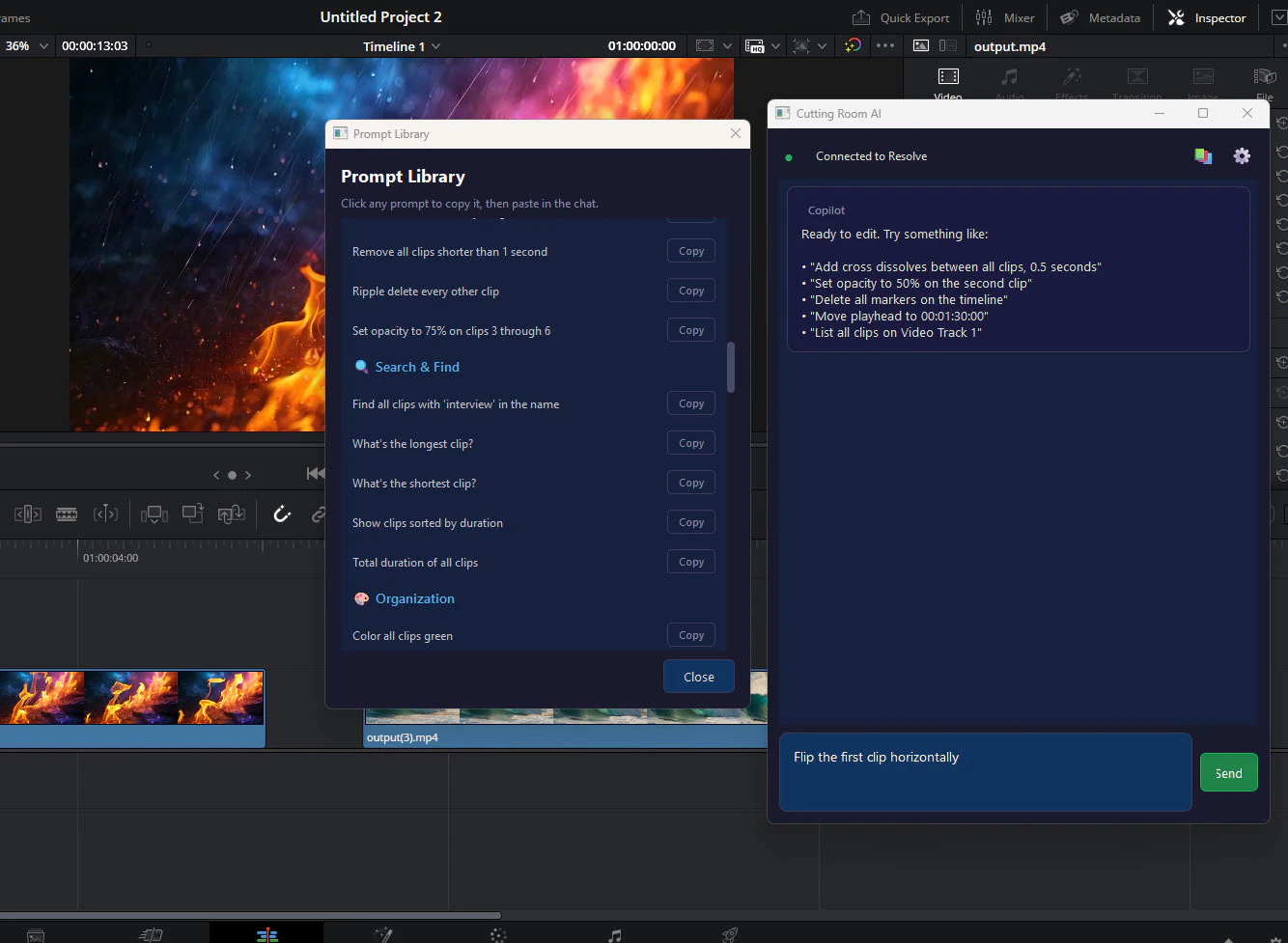
Cutting Room AI (CRY) is an NLP-powered video editing copilot built natively for DaVinci Resolve. Edit with words — tell it what you want in plain English and it translates your intent into real timeline operations. Trim, cut, rearrange, ripple delete — no menus, no memorizing shortcuts. One-time purchase, no subscription, no cloud dependency. Built for filmmakers and editors who think faster than they can click. Color grading, batch ops, and text-to-audio sync on the roadmap.
Hey PH 👋 I'm a solo dev who edits video at times and got tired of the disconnect between knowing exactly what I want to do in my timeline and having to click through 6 menus to do it. So I built CRY — you literally type "trim the first 3 seconds" or "ripple delete this gap" and it just happens. No cloud, no subscription, works inside DaVinci Resolve where serious editors already live. I'd love to hear what commands would save you the most time — that's shaping the entire roadmap. Happy to answer anything.
About Cutting Room AI (Cry) on Product Hunt
“Resolve Studio AI Video Editing Copilot”
Cutting Room AI (Cry) was submitted on Product Hunt and earned 3 upvotes and 1 comments, placing #114 on the daily leaderboard. Cutting Room AI (CRY) is an NLP-powered video editing copilot built natively for DaVinci Resolve. Edit with words — tell it what you want in plain English and it translates your intent into real timeline operations. Trim, cut, rearrange, ripple delete — no menus, no memorizing shortcuts. One-time purchase, no subscription, no cloud dependency. Built for filmmakers and editors who think faster than they can click. Color grading, batch ops, and text-to-audio sync on the roadmap.
On the analytics side, Cutting Room AI (Cry) competes within Artificial Intelligence — topics that collectively have 478k followers on Product Hunt. The dashboard above tracks how Cutting Room AI (Cry) performed against the three products that launched closest to it on the same day.
Who hunted Cutting Room AI (Cry)?
Cutting Room AI (Cry) was hunted by Nick Valencia. A “hunter” on Product Hunt is the community member who submits a product to the platform — uploading the images, the link, and tagging the makers behind it. Hunters typically write the first comment explaining why a product is worth attention, and their followers are notified the moment they post. Around 79% of featured launches on Product Hunt are self-hunted by their makers, but a well-known hunter still acts as a signal of quality to the rest of the community. See the full all-time top hunters leaderboard to discover who is shaping the Product Hunt ecosystem.
For a complete overview of Cutting Room AI (Cry) including community comment highlights and product details, visit the product overview.

 Nick Valencia
Hey PH 👋 I'm a solo dev who edits video at times and got tired of the disconnect between knowing exactly what I want to do in my timeline and having to click through 6 menus to do it. So I built CRY — you literally type "trim the first 3 seconds" or "ripple delete this gap" and it just happens. No cloud, no subscription, works inside DaVinci Resolve where serious editors already live. I'd love to hear what commands would save you the most time — that's shaping the entire roadmap. Happy to answer anything.